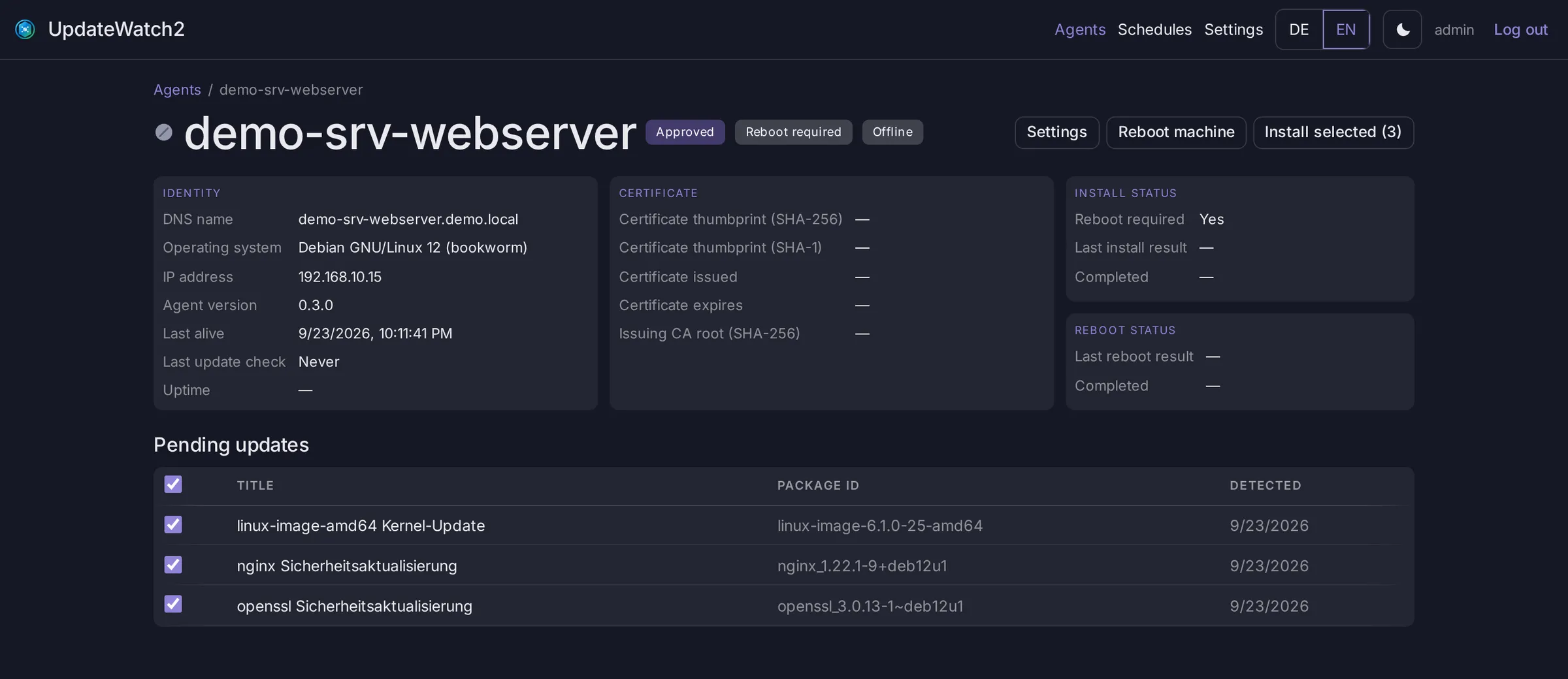
Every machine in detail
Identity, certificate, install and reboot status at a glance. Deselect individual updates before you trigger the install.
 Self-hosted · Open source · Windows & Linux
 UpdateWatch2 shows you which machines need which updates – and you decide when to install and when to reboot. A single Docker container, agents for Windows and Linux, secured by its own certificate authority.
From first registration to scheduled reboot – no cloud dependency, no subscription.
A built-in internal CA, with client and server certificates on every request. New agents stay locked out until you approve them.
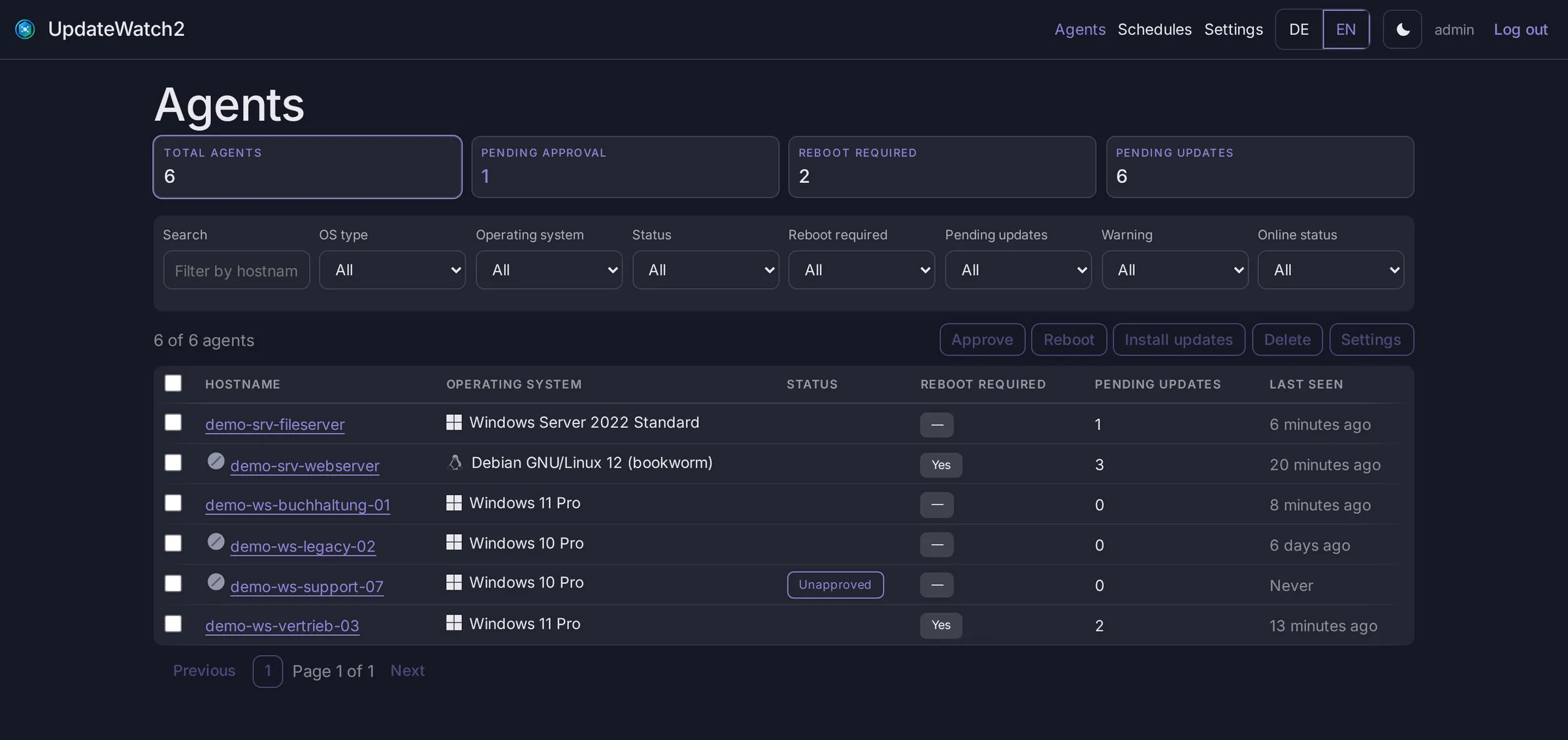
Every machine with its OS, version, last check-in and pending updates. Filter, sort and act on many at once.
Trigger all or just some pending updates with a click. A reboot never happens on its own – you decide that separately.
Schedules that run once, weekly, every N days or on a cron expression – with deadlines, history and failure emails.
The server fetches new agent releases from GitHub and hands them out SHA-256-verified. Agents need no internet access.
Sign in with the local admin or via LDAP against an AD group – with brute-force protection and trusted IPs.
Email when too many updates pile up or too many machines are affected – plus warnings before certificates expire.
Update filters, audit log, pagination, log level: nearly every setting applies instantly, no restart needed.
The UI speaks German and English, comes in light and dark – and works all the way down to your phone.
Identity, certificate, install and reboot status at a glance. Deselect individual updates before you trigger the install.
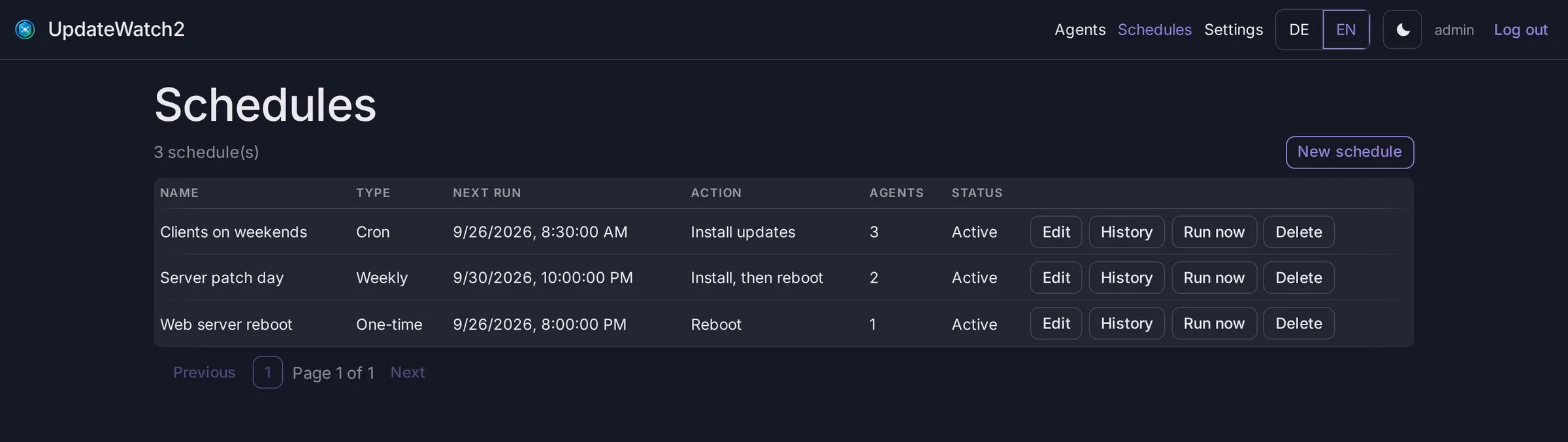
Define maintenance windows for fixed groups of machines: install, reboot or both – optionally rebooting only when actually required.
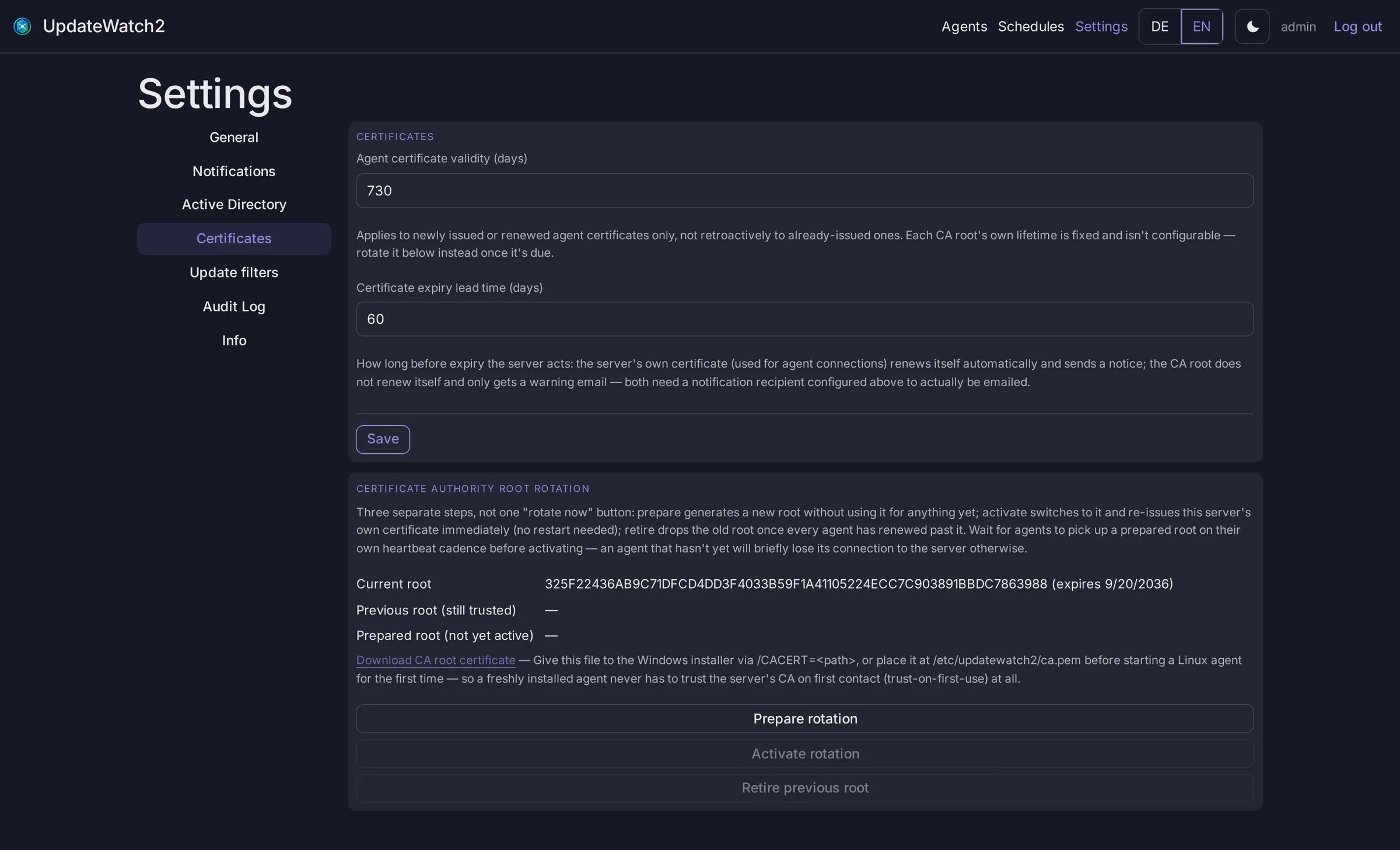
Set lifetimes, rotate the CA root in three steps and see which agents still need to catch up – without dropping connections.
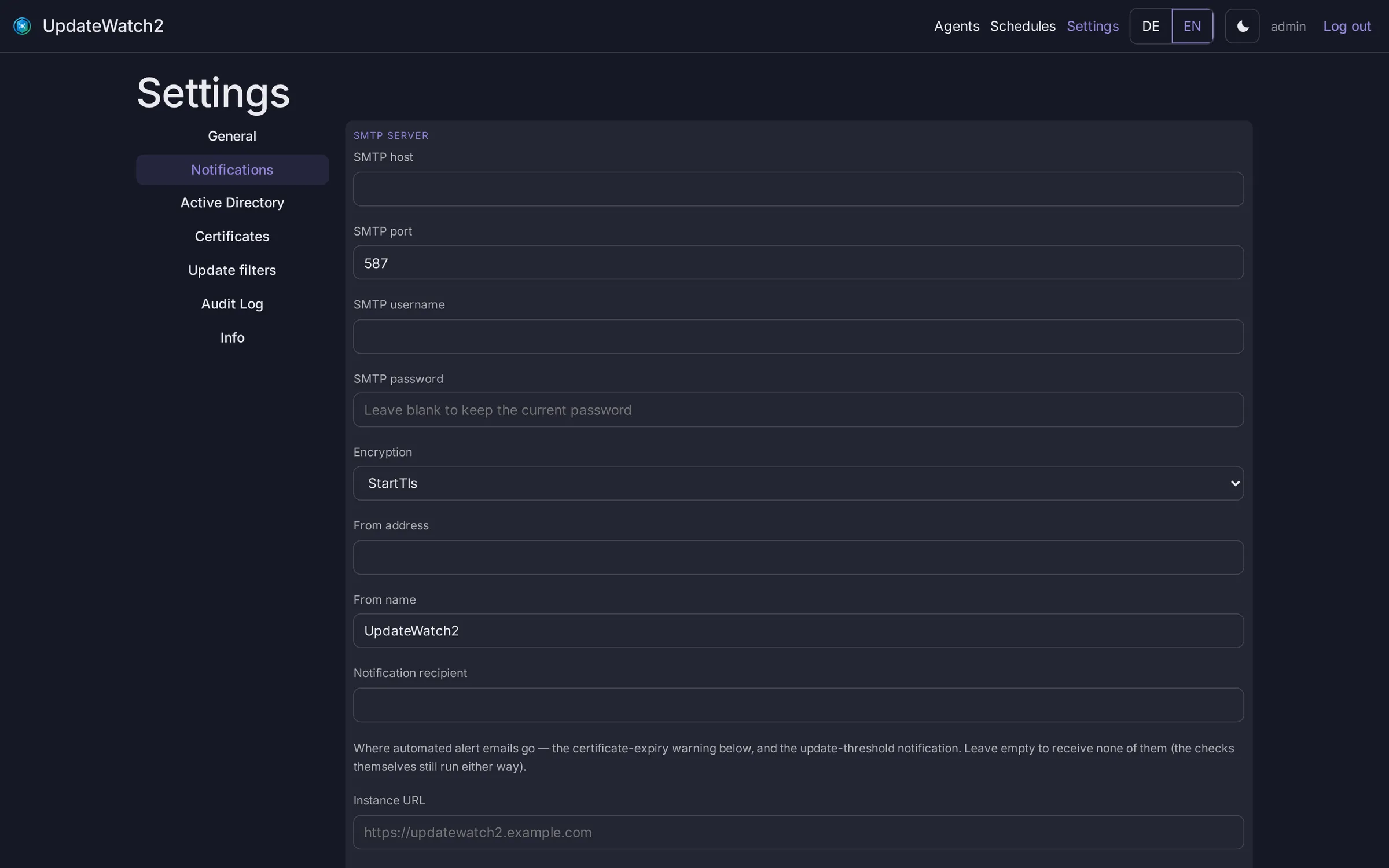
Thresholds for updates per machine and affected machines overall, test email included.
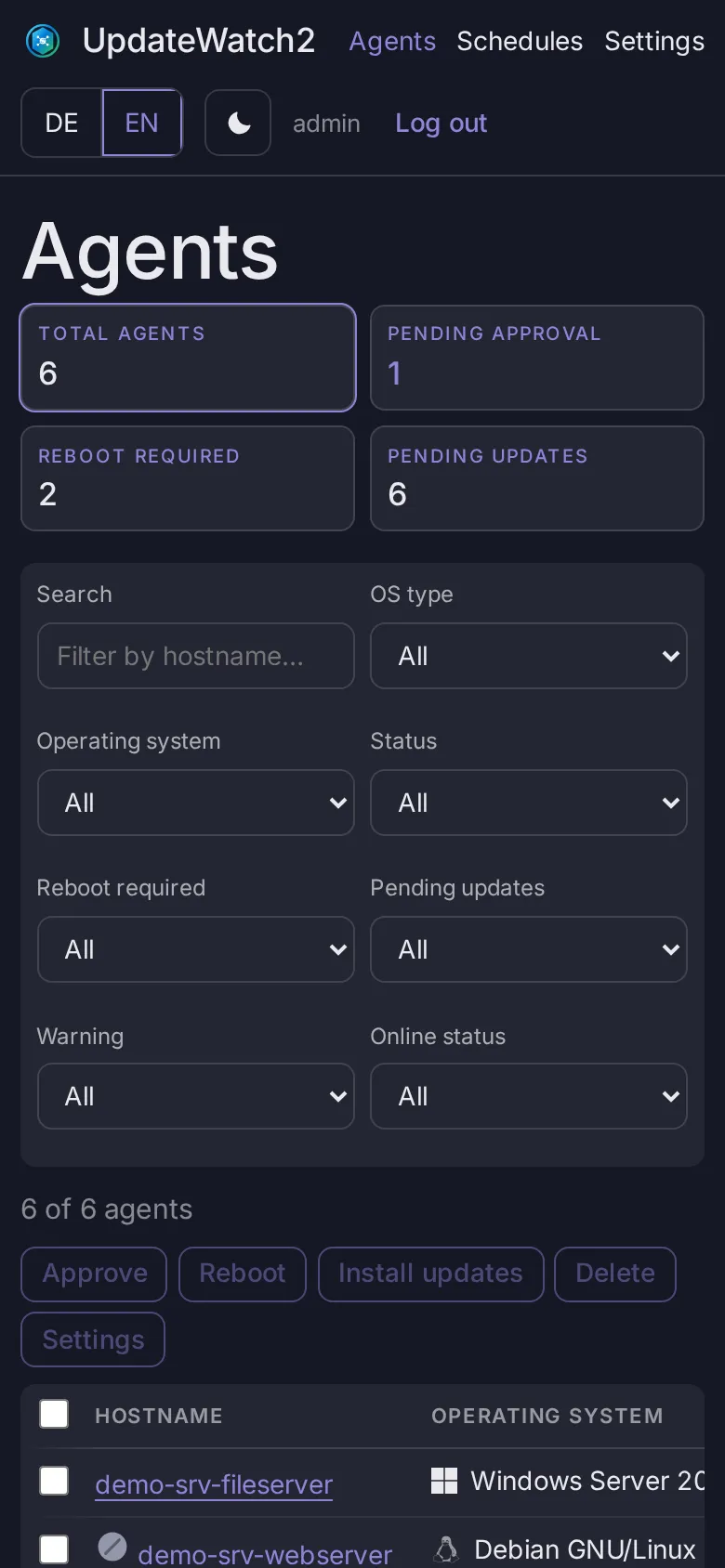
The whole UI is responsive – approve, install and reboot right from your phone.
Every connection between agent and server is authenticated by certificates on both sides. The server ships with its own certificate authority for that.
A new agent signs up – and stays locked out.
You confirm it individually or in bulk. Only then does it get its certificate.
Certificates renew themselves before they expire. Lost one? Just reissue it.
Swap the CA root with a transition window – no downtime.
Docker image for linux/amd64 and linux/arm64 – from a Raspberry Pi to a cloud VM.
Windows service with an NSIS installer for x64 and ARM64, updates via the Windows Update API.
systemd service as .deb and .rpm for amd64 and arm64, updates via apt or dnf.
One command starts the server. The first admin password is printed to the container log.
docker run -d \
  --name updatewatch2-server \
  -p 8795:8795 -p 8796:8796 \
  -e UPDATEWATCH2_SERVER_HOSTNAME=updatewatch2.example.com \
  -v uw2-data:/app/data \
  -v uw2-certs:/app/certs \
  -v uw2-agent-updates:/app/agent-updates \
  --restart unless-stopped \
ghcr.io/vulture20/updatewatch2-server:latestOpen http://localhost:8795 and sign in as admin. docker logs updatewatch2-server shows the password.
Installers and packages for Windows and Linux are in the agent releases. Then approve new agents in the UI.